Table of Contents
Hailo AI Accelerators
A Hailo accelerator adds on-device TetherX AI analytics to a TetherBox without a graphics card. TetherBox detects the accelerator automatically and enables AI analytics when it is available.
| Accelerator | TetherX AI capacity |
|---|---|
| Hailo-8L (13 TOPS INT8) | Up to 4 cameras |
| Hailo-8 (26 TOPS INT8) | Up to 8 cameras |
| Hailo-10H (20 TOPS INT8) | Up to 8 cameras |
The table compares INT8 performance. Hailo-10H's advertised 40 TOPS is at INT4, while its INT8 rating is 20 TOPS, as listed in the Hailo-10H product brief (opens in a new tab). Camera capacity depends on the model and analytics settings, not TOPS alone.
Note: These capacities assume AI analytics run at 1 megapixel, such as a 720p sub-stream.
For other accelerators, including NVIDIA graphics cards, see Hardware Specifications. On a Raspberry Pi 5, use the Raspberry Pi AI Hat+ or AI Hat 2 described in Raspberry Pi TetherBox.
PCIe Accelerator Example
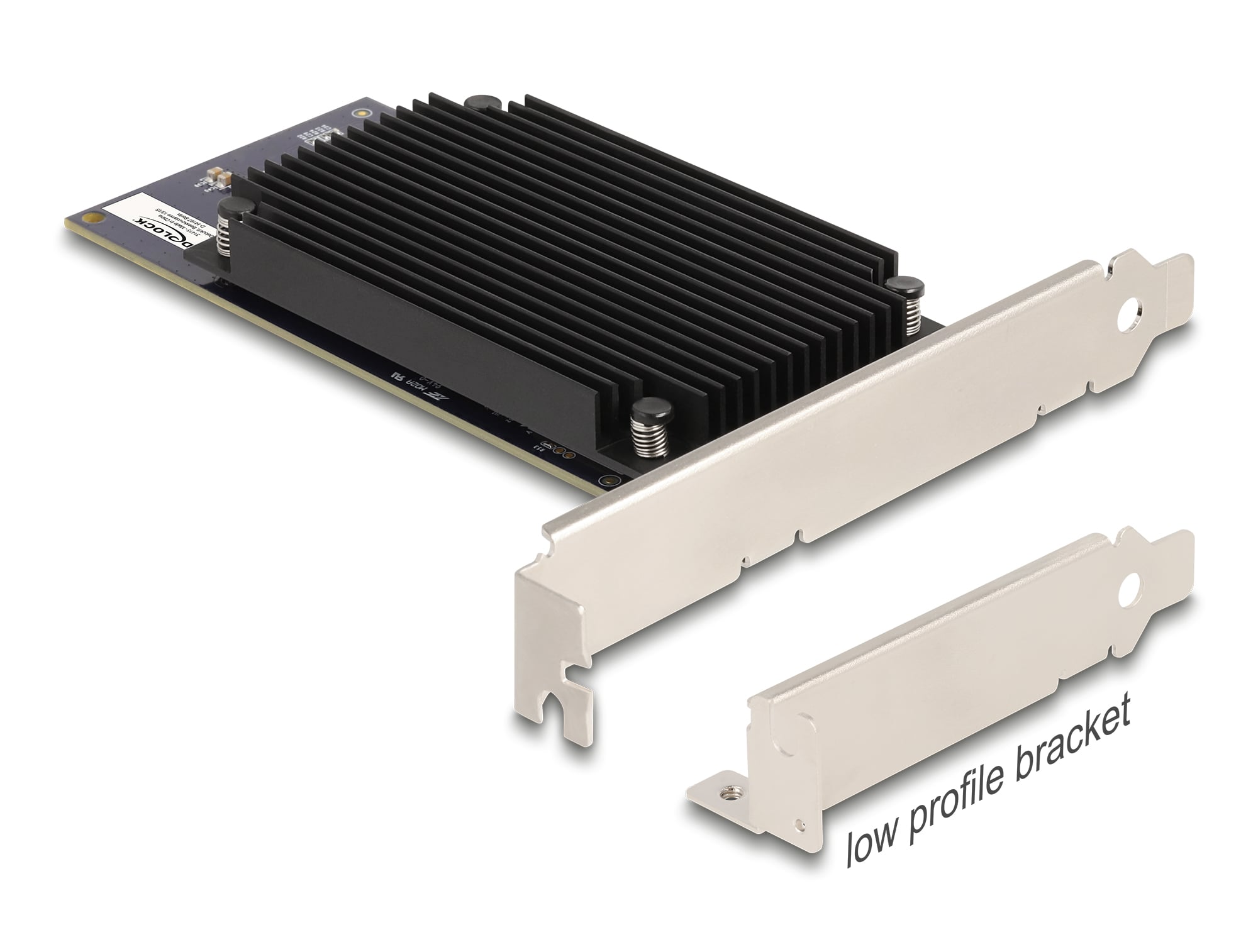
For a rackmount or tower TetherBox running video models such as YOLO, the Delock 31416 PCI Express x8 Hailo-8 AI Accelerator (opens in a new tab) is one example. It is a low-profile PCIe Gen3 x8 card with two Hailo-8 processors and 52 TOPS of stated inference performance.
Interface Requirements
Hailo accelerators connect over PCIe. Choose the module or card and motherboard together; a physical slot alone does not guarantee the required lane count.
The PC module and card requirements below are separate from the supported Raspberry Pi HAT configurations. For a Pi 5, choose the exact AI HAT and follow Raspberry Pi TetherBox for its connection, cooling and storage arrangement; do not use the PC slot table to select a Pi HAT.
| Accelerator | Host interface requirement | Practical installation |
|---|---|---|
| Hailo-8 M.2 | PCIe Gen3 x4, M.2 Key-M | Install directly in an M.2 Key-M socket or use a PCIe-to-M.2 Key-M adapter in a x4-or-wider slot. |
| Hailo-10H M.2 | PCIe Gen3 x4, M.2 Key-M | Install directly in an M.2 Key-M socket or use a PCIe-to-M.2 Key-M adapter in a x4-or-wider slot. |
| Delock 31416 dual Hailo-8 | PCIe Gen3 x8 | Install in a PCIe x8-or-wider slot. |
Warning: Do not plan a Hailo-8 or Hailo-10H deployment around a PCIe x1 slot. Hailo-8L has different, lower lane requirements; it is not interchangeable with the Hailo-8 or Hailo-10H modules above.
Note: The host and chassis must provide the required slot, physical clearance and cooling. Confirm that the selected TetherX AI workload supports scheduling across both processors before treating the two processors as double the per-camera capacity.
Referenced in: