Table of Contents
Hardware Specifications
TetherBox runs on Intel, AMD, and ARM-based Linux systems. Start by choosing hardware for the number of cameras you will record, then size its CPU, RAM, storage, and - if needed - AI acceleration using the guidance below.
Choose Hardware for Your Deployment
| Deployment | Recommended hardware | Typical recording capacity |
|---|---|---|
| Small or space-constrained | TetherBox: Raspberry Pi 5 with cooling and external SSD or M.2 storage | Up to 10 cameras |
| Small to medium | TetherBox Pico: Intel N100 or N150 mini PC with 8 GB RAM and SSD storage | Around 16-20 cameras |
| Large or high-density | TetherBox Giga: Rackmount or tower system, sized for the site | More than 20 cameras |
These capacities assume the recommended per-stream settings in camera configuration. See CPU recommendations for how different camera settings affect them.
TetherBox: Raspberry Pi
A Raspberry Pi 5 is a good fit for low-power, mobile, concealed, or space-constrained installations. It has a benchmark capacity of about 11 cameras; use it for up to 10 to leave headroom. A Raspberry Pi 4 handles up to 4 cameras.
Use a cooled enclosure, the official USB-C power supply, and a suitable USB SSD or M.2 drive. SD cards and USB memory sticks are not suitable for continuous recording. Choose an enclosure with passive or active cooling and enough clearance for an M.2 or AI HAT where required.
For complete Raspberry Pi setup guidance, including on-device AI analytics, see Raspberry Pi TetherBox.
TetherBox Pico: Mini PC
An Intel N100 or N150 mini PC is a practical choice for approximately 16 to 20 cameras. Choose a system with 8 GB RAM, reliable SSD storage, and enough USB or internal storage connectivity for the required retention. The Shuttle XPC DL30N, Gigabyte Mini PCs, and ASUS Mini PCs are suitable examples. Select the enclosure and storage configuration for the installation environment.
TetherBox Giga: Rackmount or Tower
For larger deployments, build or source a rackmount or tower system to the site's CPU, memory, storage, and resilience requirements. Standard motherboard and CPU components, configured rackmount systems, and corporate-vendor servers are all suitable.
The following configurations illustrate the required specification without tying the choice to a particular supplier:
| Target deployment | Compute and memory | Recording storage |
|---|---|---|
| Around 64 cameras | AMD Ryzen 7 7700 with 32 GB RAM. The CPU reference table estimates capacity for 99 cameras, leaving headroom. | Four 18 TB enterprise drives in Linux software RAID5 provide about 54 TB usable, against an estimated 48 TB requirement for 30 days of 4K recording. A 1U chassis with four 3.5-inch and four 2.5-inch hot-swap bays, eight SATA connections, and M.2 operating-system storage is suitable. |
| Around 128 cameras | AMD Ryzen 9 9950X with 48 GB ECC RAM. The CPU table estimates capacity for 143 cameras. | Eight 18 TB enterprise drives in RAID6 provide about 108 TB usable, against an estimated 96 TB requirement. Use a chassis with at least eight 3.5-inch bays and a suitable RAID controller where required. |
Sizing at a Glance
Most TetherBox deployments need enough CPU for the camera count, enough RAM for analytics, and reliable storage for recordings. AI analytics may also require an accelerator or GPU.
| Component | Rule of thumb | Details |
|---|---|---|
| CPU | About 150 GeekBench 6 points per 4K camera | See CPU Requirements and CPU Recommendations |
| RAM | 2 GB minimum, plus 1 GB per 4 cameras | See RAM Requirements |
| Storage | About 750 GB per 4K camera for 30 days (50% motion, 4096 kbit average) | See Storage Requirements and Storage Hardware Recommendations |
| AI acceleration | Only required for TetherX AI analytics | See Graphics / GPU |
CPU Requirements
CPU sizing determines how many cameras a TetherBox can handle. Use GeekBench 6 Multi-Core scores as the benchmark and divide by 150 to estimate 4K camera capacity under the recommended camera configuration.
Quick reference points:
- Intel N100 (2,840 pts) → about 19 cameras
- Raspberry Pi 5 (1,600 pts) → about 11 cameras
- Intel Xeon E-2336 (7,772 pts) → about 52 cameras
- Intel Core i5-14600K (16,065 pts) → about 107 cameras
- AMD Ryzen 9 9950X (21,440 pts) → about 143 cameras
See CPU Recommendations for the complete reference table, benchmark methodology, deployment-size picker, and the effect of camera configuration on capacity.
RAM Requirements
Formula: 2 GB minimum, plus about 1 GB per 4 cameras at standard analytics (720p or lower). High-resolution analytics above 720p needs roughly 1.5× more RAM.
| Cameras | Minimum (≤720p analytics) | Recommended (>720p analytics) | Example systems |
|---|---|---|---|
| 1-4 | 2 GB | 4 GB | Portable, solar-powered |
| 5-8 | 4 GB | 6 GB | Mini PC, embedded |
| 9-16 | 4 GB | 6 GB | N100 fanless |
| 17-24 | 8 GB | 12 GB | Rack units |
| 25-32 | 8 GB | 12 GB | High-density rack |
| 33-64 | 16 GB | 24 GB | Enterprise |
| 65-128 | 32 GB | 48 GB | Large installations |
| 129+ | 64 GB | 64 GB | Bespoke |
Danger: Do not under-provision RAM. Systems sustaining more than 85% usage can experience recording failures and instability. The recommended column provides the 30-40% headroom needed for stable high-resolution analytics.
Storage Requirements
Storage depends on resolution, motion activity, and retention period. These estimates are per camera for 30 days of retention, including video recording and a 720p snapshot every five seconds, 24/7.
| Resolution | Average bitrate | Motion | Storage per camera (30 days) |
|---|---|---|---|
| 720p | 1024 kbit | 50% | 250 GB |
| 1080p | 2048 kbit | 50% | 400 GB |
| 4K | 4096 kbit | 50% | 750 GB |
| 4K | 4096 kbit | 100% | 1.4 TB |
Tip: Multiply the figure by the camera count. For local and cloud storage capacity planning, see TetherBox Recording Capacity.
Recommended Storage Hardware
Continuous 24/7 recording requires drives with sustained-write endurance: NAS or surveillance-class HDDs (Seagate IronWolf/SkyHawk, WD Red/Purple, Toshiba N300/S300) or high-TBW SSDs (WD Red SN700, Samsung 990 Pro, Seagate IronWolf 525). Never use USB memory sticks, SD cards, or SMR drives - they fail rapidly under continuous writes. Connect external drives using USB 3.0 or better.
Above about 50 cameras, a single drive cannot reliably absorb the sustained write load. Use RAID5 or RAID6 across four or more similarly specified drives to spread the load and add redundancy. See Storage Hardware Recommendations#Drive Type by Camera Count.
For drive selection by camera count, endurance comparisons, USB enclosure guidance, and storage performance troubleshooting, see Storage Hardware Recommendations.
Graphics / GPU
Standard deployments do not need a dedicated GPU: TetherBox uses onboard graphics or the CPU for processing. It automatically uses available Nvidia, AMD, or Intel dedicated graphics for hardware acceleration.
Out of the box, TetherBox uses the analytics built into your Cameras or recorder. For local TetherX AI or ML processing, select the appropriate GPU or accelerator for the workload. Raspberry Pi installations can use the Raspberry Pi AI Hat+ / AI Hat 2 for on-device AI analytics on up to four cameras. Contact TetherX support for requirements beyond this configuration.
Hailo-8 PCIe Accelerator Example
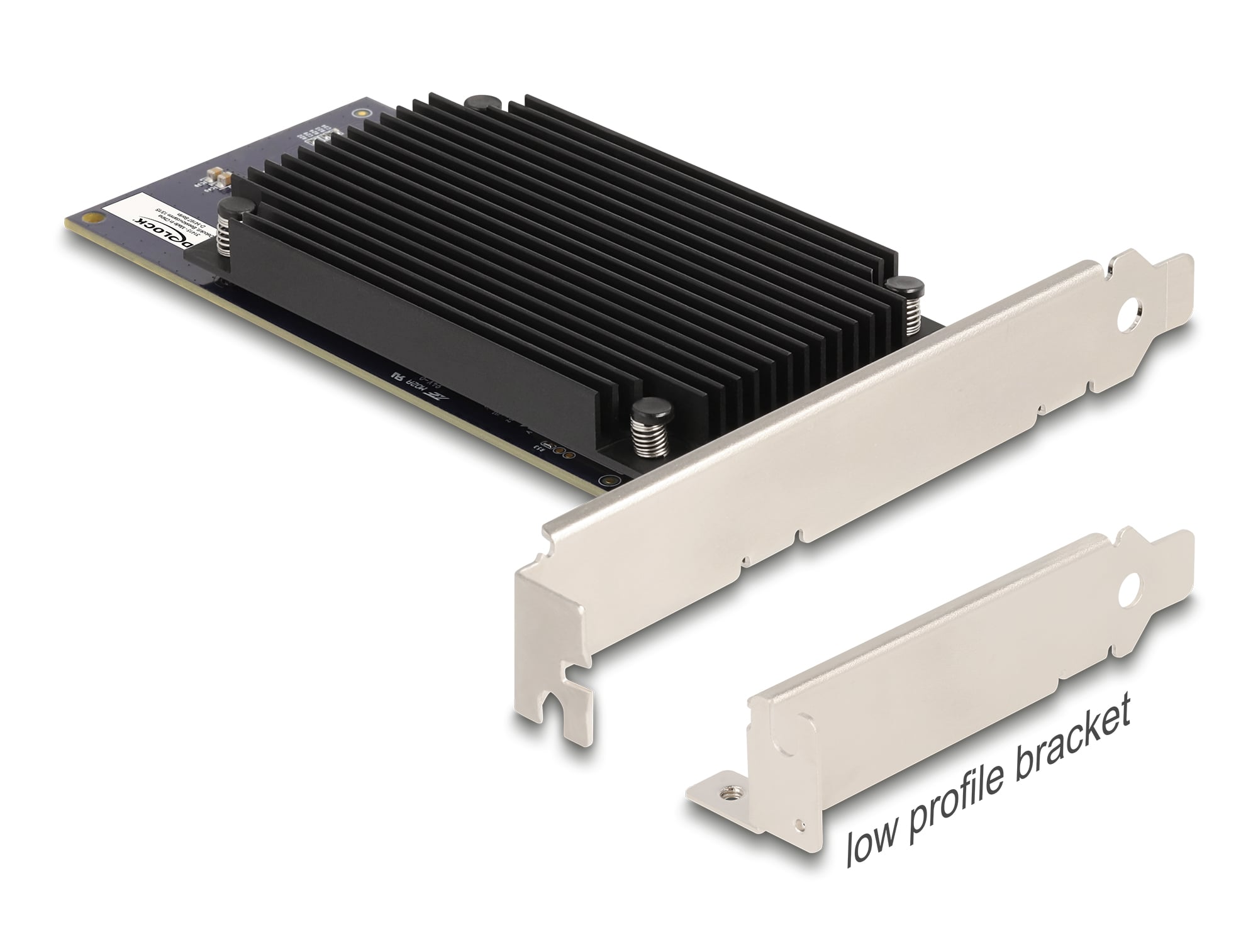
For a rackmount or tower TetherBox running video models such as YOLO, the Delock 31416 PCI Express x8 Hailo-8 AI Accelerator (opens in a new tab) is one example. It is a low-profile PCIe Gen3 x8 card with two Hailo-8 processors and 52 TOPS of stated inference performance.
Hailo Interface Requirements
Hailo accelerators connect over PCIe. Choose the module or card and motherboard together; a physical slot alone does not guarantee the required lane count.
| Accelerator | Host interface requirement | Practical installation |
|---|---|---|
| Hailo-8 M.2 | PCIe Gen3 x4, M.2 Key-M | Install directly in an M.2 Key-M socket or use a PCIe-to-M.2 Key-M adapter in a x4-or-wider slot. |
| Hailo-10H M.2 | PCIe Gen3 x4, M.2 Key-M | Install directly in an M.2 Key-M socket or use a PCIe-to-M.2 Key-M adapter in a x4-or-wider slot. |
| Delock 31416 dual Hailo-8 | PCIe Gen3 x8 | Install in a PCIe x8-or-wider slot. |
Warning: Do not plan a Hailo-8 or Hailo-10H deployment around a PCIe x1 slot. Hailo-8L has different, lower lane requirements; it is not interchangeable with the Hailo-8 or Hailo-10H modules above.
Note: The host and chassis must provide the required slot, physical clearance and cooling. Confirm that the selected TetherX AI workload supports scheduling across both processors before treating the two processors as double the per-camera capacity.
Next Steps
- Build a TetherBox on Your Own Hardware for operating-system installation, partitioning, and configuration.
- TetherBox Recording Capacity for detailed retention planning.
- Cloud Backup for off-site protection against theft, damage, or local disasters.
References
- CPU Monkey (opens in a new tab) - compare CPU performance across generations
- Geekbench Browser (opens in a new tab) - search specific CPU benchmarks
Referenced in:
- Frequently Asked Questions
- Build a TetherBox on Your Own Hardware
- Marketing PDFs
- Pre-Flight Checklist
- Quote Tool
- TetherBox Deployment Guide
- CPU Recommendations
- External Storage Required
- Raspberry Pi TetherBox
- Replacing a TetherBox
- Replacing a TetherBox Drive
- Storage Hardware Recommendations
- Talkdown (Push to Talk)
- TetherBox Recording Capacity
- TetherBox Troubleshooting
- TetherX AI
- Where to Run the TetherBox Software

